



Tailored plugins, themes and web applications built specifically for your business.

High-performance, conversion-focused websites that grow your business.

Powerful WordPress solutions that are secure, scalable and easy to manage.

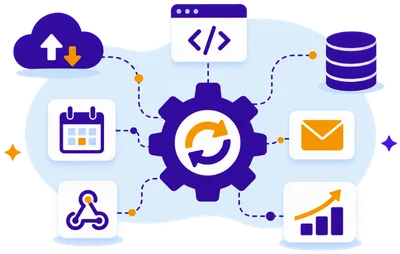
Automate processes, connect tools and save time with smart workflows.
Why Choose @Rank
Experienced professionals dedicated to your success.
Tailored strategies and solutions that fit your needs.
We build with security, performance and scalability in mind.
We're with you every step of the way.
Helping your business grow with smart, scalable and future-ready solutions.
FormFlow for Elementor
Build Powerful Elementor Forms Without Limits.
The most advanced form builder for WordPress.
Create beautiful forms, collect data, automate worktows and grow your business.

Powerful features
Everything You Need in One Plugin.
FormFlow comes with all the tools you need to build advanced forms, automate processes and improve results.
Conditional Logics
Build smarter dynamic Elementor forms.
Styling Features
Style Elementor forms without custom CSS.
Integrations
Connect Elementor forms with powerful integrations.
Security & Analytics
Secure forms and track performance.
Conversion UX
Optimize Elementor forms for more conversions.
Ticketing System
Turn Elementor forms into support tickets.
Custom Fields
Add advanced fields to Elementor forms.
Booking Calendar
Create appointment booking forms in Elementor.

Extend, don’t Rebuild
You Don’t Need to Start From Zero.
FormFlow works seamlessly with your existing Elementor forms. Extend thier capabilities in just a few clicks and take them to the next level.
- Works with existing forms
- Keep your current design
- Add powerful features instantly
- No data loss. No migration
Support Made Simple
Built-In Support Ticket Management
Turn Elementor Forms into a complete customer support system. Automatically create tickets, assign priorities, track statuses, and manage conversations.
- Ticket Dashboard
- Status Management
- Priority Rules
- WooCommerce Validation
- Customer Communication

Why Choose @Rank
We Turn Users Into Customers
We combine innovation, performance, and support to deliver products and services that make a real difference.
- High Performance
- Secure & Reliable
- Regular Updates
- Dedicted Support
FormFlow completely changed how we approach Elementor Forms for client projects. Instead of combining several plugins or writing custom code, we can add conditional logic, advanced fields, integrations, and better user experiences within our existing workflow. It saves our development team valuable time while giving us much more flexibility when building complex forms for different client requirements.
What impressed me most about FormFlow is how naturally it extends Elementor Forms. I don’t need to replace forms I have already built or learn another complicated form builder. I can simply add the functionality I need when the project requires it. Conditional logic, custom fields, styling options, and workflow features make it especially useful for professional WordPress development.
As a freelancer, I need tools that help me deliver more without adding unnecessary complexity to every project. FormFlow gives me advanced functionality while keeping everything inside the Elementor environment I already use. I can build smarter forms, improve the user experience, and handle more demanding client requests without depending on multiple separate plugins or developing every feature myself.
We wanted our website forms to do more than simply send emails after every submission. With FormFlow, we were able to create structured workflows, connect important tools, and automate several steps that previously required manual work. The result is a much more efficient process for our team and a smoother experience for customers interacting with our business online.
Managing software subscriptions and customer licenses becomes complicated very quickly when everything is handled through separate systems. SubscriptionFlow gives us a much more organized workflow inside WooCommerce. Having subscriptions, licenses, customer access, and related management tools connected in one environment makes everyday administration easier and gives us a stronger foundation as our software business continues to grow.
We approached @Rank with a software idea that required more than an off-the-shelf WordPress solution. They understood both the technical requirements and the business goal behind the project. The development process was structured, communication was clear, and the resulting solution fits naturally into our workflow. It feels like software designed around our business rather than another generic product.
FormFlow helped us turn long, traditional forms into much more intuitive customer journeys. Features like conditional steps, automatic navigation, data summaries, and advanced field options let us simplify what visitors actually see. Instead of overwhelming users with every question at once, we can create forms that respond to their choices and guide them naturally through the entire process.
Form Submissions Processed
Global customer Satisfaction Rate
Custom softwares and solutions dellverd
Business Automations Enabled

Google Calendar Integration
Turn Elementor Forms Into Booking Systems
Create appointment booking forms in Elementor and sync reservations directly with Google Calendar for effortless scheduling.
- Create appointment booking forms with Elementor
- Sync bookings directly with Google Calendar
- Define available dates and booking times
- Prevent unavailable time slots from being booked
- Automate scheduling without separate booking plugins
Form Analytics & Insights
Understand How Your Forms Perform
Track Elementor form performance with actionable analytics on submissions, conversions, drop-offs, user behavior, and traffic sources.
- Track form views and submissions
- Measure conversion and completion rates
- Identify form and step drop-offs
- Analyze devices and traffic sources
- Monitor user behavior and form performance


What is FormFlow for Elementor?
FormFlow for Elementor is an advanced extension for Elementor Forms that adds conditional logic, custom fields, multi-step enhancements, analytics, booking tools, PDF summaries, ticketing, integrations, security features, advanced styling, and workflow automation—all while keeping your forms inside the familiar Elementor environment.
What features does FormFlow add to Elementor Forms?
FormFlow extends Elementor Forms with conditional logic, calculation and rating fields, range sliders, booking calendars, advanced checkbox and radio styling, save and continue, PDF summaries, analytics, webhooks, Google Calendar integration, ticket management, two-factor verification, IP blocking, Cloudflare Turnstile, and more.
Can I create appointment booking forms with Elementor and Google Calendar?
Yes. FormFlow combines its Booking Calendar Field with Google Calendar integration, allowing you to build appointment and booking forms directly with Elementor and connect submitted bookings to your Google Calendar workflow without requiring a separate form builder.
Can I add conditional logic to Elementor Forms?
Yes. FormFlow adds advanced conditional logic to Elementor Forms, letting you dynamically control fields, steps, buttons, and form behavior based on user selections. This makes it possible to create personalized multi-step forms and more complex user journeys without building separate forms for every scenario.
Does FormFlow include form analytics for Elementor?
Yes. FormFlow includes an analytics dashboard for measuring Elementor form performance. You can analyze form activity, submissions, conversions, drop-offs, step performance, devices, referrers, and other useful data to identify problems and continuously improve your forms.
Can Elementor Forms be used as a customer support ticketing system?
Yes. FormFlow adds a built-in ticketing system that can turn Elementor form submissions into manageable support tickets. It includes ticket dashboards, statuses, priorities, customer-facing functionality, internal workflows, email functionality, and WooCommerce-related capabilities for creating more advanced customer support experiences.
How does FormFlow protect Elementor Forms from spam and unwanted submissions?
FormFlow provides multiple security tools for Elementor Forms, including Cloudflare Turnstile, IP address blocking, and email-based two-factor verification. You can block specific IP addresses from submitting forms and add additional verification where stronger protection is required.
Can agencies use FormFlow on client websites?
Agency plans support multiple activations and client projects.
Is FormFlow beginner-friendly?
Yes. All features are integrated directly into Elementor.
Will FormFlow slow down my website?
No. Features are modular and only load when needed.
Do you provide updates?
Yes. Active licenses include updates and improvements.
Do you provide support?
Yes. Professional support is included with active licenses.
Will FormFlow work with WP Rocket and performance plugins?
Yes. FormFlow is optimized for performance and fully compatible with popular optimization plugins such as WP Rocket. Our features are designed to work seamlessly alongside caching, minification, and page speed optimization tools.
How can I create appointment booking forms?
Simply use the Booking Calendar Field together with the Google Calendar Integration. Automatically collect bookings, schedule appointments, and create calendar events directly from form submissions with the ability to connect many Accounts.
Can I block specific IP addresses from submitting forms?
Yes. FormFlow includes built-in IP blocking functionality that allows you to prevent specific IP addresses from accessing or submitting your forms, helping reduce spam and unwanted submissions.
Can I set an automatic "go to the next step" after selecting a radio option?
Use the Auto Next Step feature. When a user selects a radio button or other predefined field type, FormFlow can automatically move them to the next step, creating a faster and smoother user experience.